Mobile-first deck creation: fast, editable presentations from a sentence
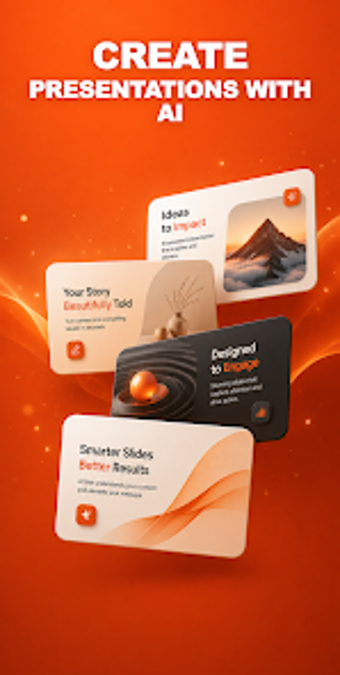
SlideLab AI Presentation Maker, developed by Asadbek Alisherovich, is a mobile-first app that removes the blank-slide problem for quick presentations. Enter a topic or single sentence and the app generates a fully written, designed, and illustrated slide deck within seconds, with every slide kept editable for manual refinement. Key capabilities include AI imagery, native .pptx export, slide options, and 34-language support, aimed at students, educators, founders, and business professionals on tight deadlines.
What is SlideLab used for in professional settings?
SlideLab acts as a mobile-first presentation generator that converts a single topic or sentence into a ready set of slides, targeting quick production needs. The app produces written content and AI-sourced illustrations so users receive an editable draft almost instantly. This model suits professionals who must produce structured slide material without hunting templates, especially when time constraints demand a fast first version.
What can you do with SlideLab when preparing a quick pitch or lesson?
The workflow focuses on rapid deck shaping: choose a deck length (5, 10, or 15 slides) and assemble a narrative using specialized layouts. Available slide types include:
- Title and section openings
- Bulleted lists and talking points
- Big statistics and quote slides
- Split image-plus-text layouts
Each slide remains editable so presenters perform targeted edits instead of rebuilding layouts from scratch.
Is SlideLab simple to adopt on a smartphone or tablet?
The interface prioritizes on-device editing for users who work away from a desktop, offering four design styles, four accent colors, and four tone presets that update the deck instantly. Multi-language generation across 34 languages supports international workflows. Preset styles and visible, immediate visual changes reduce setup time for students, educators, and startup founders who need presentable material with minimal configuration.
How does SlideLab handle sharing, formats, and performance?
Export options include native .pptx files that preserve editable text boxes for PowerPoint, Google Slides, and Keynote, plus PDF export for distribution. The app produces a complete 15-slide deck in under a minute and delivers .pptx output rather than flat image-only slides, which preserves downstream editing. SlideLab is available on Android and iOS, fitting mobile workflows that require direct editing and cross-platform file exchange.
Who should adopt SlideLab, and when to consider alternatives
SlideLab is a practical option for students, educators, founders, and business professionals who need rapid, editable slide drafts on mobile devices. As an independent developer's recent release that is still building its user base, it suits adopters willing to try newer apps; teams relying on long-term vendor support or established enterprise workflows may prefer more entrenched desktop solutions. Test short decks first before wider rollout.